

Account
Voting
Vote using your in-game display name, claim Vote Shards, exchange them for points and help spawn the Voteboss.
Account
Vote using your in-game display name, claim Vote Shards, exchange them for points and help spawn the Voteboss.
::vote in game or open the voting page.::voted. Only votes confirmed by the toplist can be claimed. Leave at least 15 seconds between claim attempts.| Reward | Requirement |
|---|---|
| One Vote Shard (Vote crystal item) | Each newly confirmed vote. |
| One 1-hour basic Auto-Level scroll | Claim at least four newly confirmed votes in one claim. |
| Extra Vote Shards | The same four-vote claim condition, with Ruby +1, Diamond +2, Onyx +3, Obsidian +4, Dragonite +5 or Ethereal +6. |
Wait until your available votes have registered before claiming if you want to meet the four-vote bonus requirement. A claim with fewer than four confirmed votes still awards its normal shards. Each vote can only be claimed once.
Visit the Vote Shop NPC at home. Use its exchange dialogue to turn the Vote crystals in your inventory into Vote points at a rate of one crystal for one point. Trade the NPC to spend those points.
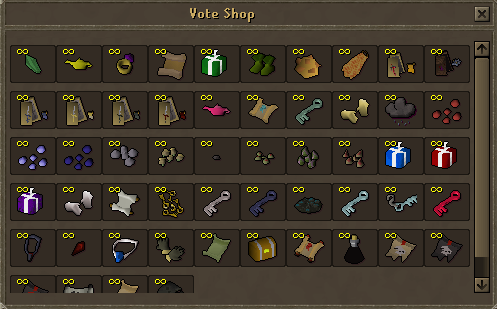
Useful rewards include a 1-hour Auto-Level scroll for 1 point, an experience lamp for 2 points, an XP scroll for 5 points and a Ring of wealth for 30 points. Check the current shop for the complete selection and any game-mode restrictions.
Confirmed votes also advance the community Voteboss counter. The threshold is 25 votes during days 1–7 of the month and 50 votes during the rest of the month. Follow the in-game spawn announcement and use ::voteboss when the event is available. Donator bonus shards do not add extra votes to the community counter.
Check that you voted under the character's current display name, completed the external site's final submission, and allowed its confirmation to arrive. The command reports when no unclaimed votes are available. Claiming is unavailable while joining or participating in Outlast; leave the event and try again. Follow each site's displayed cooldown and the server's voting rules.